How to migrate old java written android app to kotlin multiplatform
Introduction
Migrating an old java written android app to kotlin multiplatform is a process that requires careful planning and execution. It is a process that can be time consuming but it can be beneficial in the long run as it can lead to a more maintainable and scalable codebase and more important code base for android and iOS will be same or maybe same for web and desktop too.To migrate the project we have to follow certain stragies.
Stragies
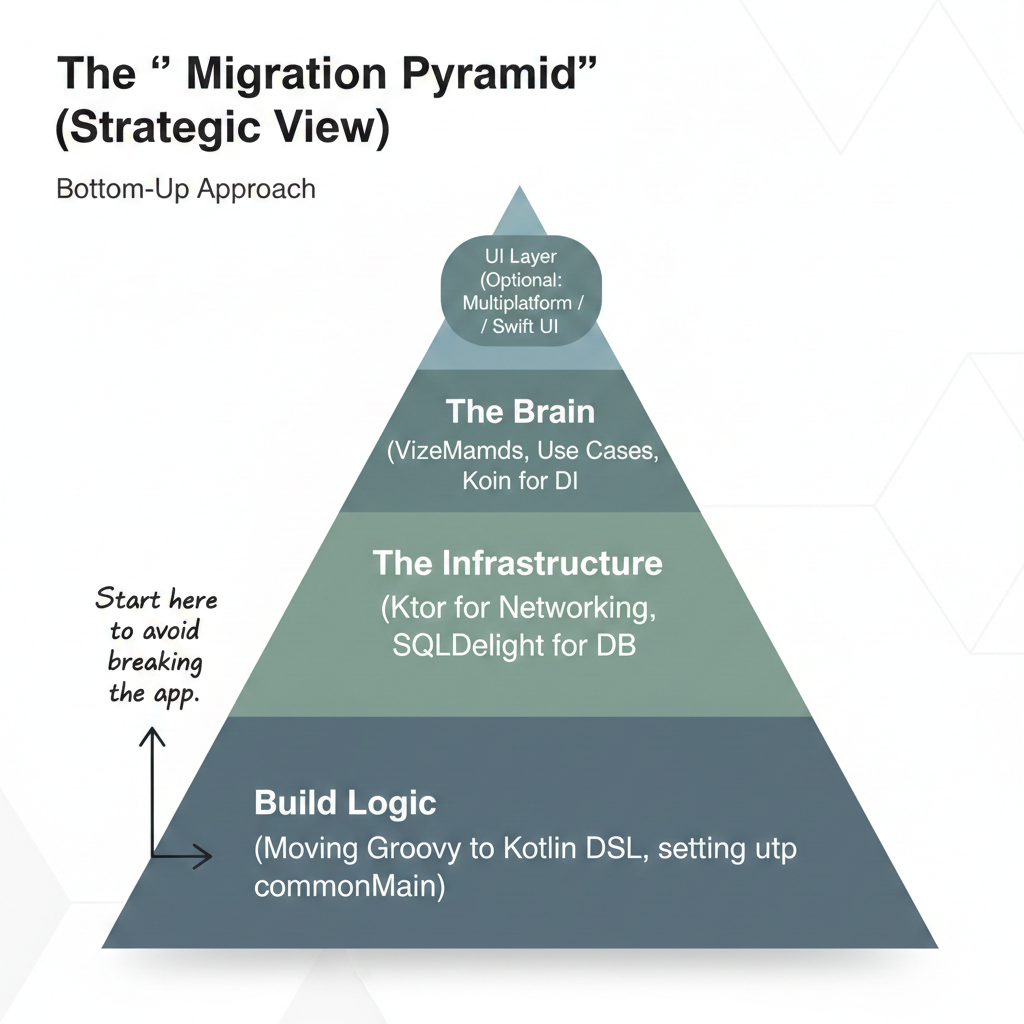
1. The strategy “Bottom-Up Migration”
Unlike a standard Android refactor, a KMP migration moves horizontally across the stack. You start at the data layer and work your way up to the ViewModel.
Phase 1 : The Foundation (Infrastructure)
-
Convert Build Logic : Move from Gradle Groovy to Kotlin DSL. KMP requires Kotlin DSL to manage multiplate targets
-
Establish the
commonMain: Source set: This is where you will write your shared code.Create a new KMP module and link your existing android module to it
Phase 2 : Data and netwrok layer
The easiest “wins” are code blocks with no Android dependencies (no Context, no Toast, no Activity).
-
Networking :Replace Retrofit (Java/Android) with Ktor. Ktor is multiplatform-native
-
Serialization : Replace Gson (Java/Android) with Kotlinx Serialization. Kotlinx Serialization is multiplatform-native
-
Database :Replace Android based database with SQLDelight. SQLDelight is multiplatform-native
Phase 3 : Handling the “Android problem”(Expect/Actual)
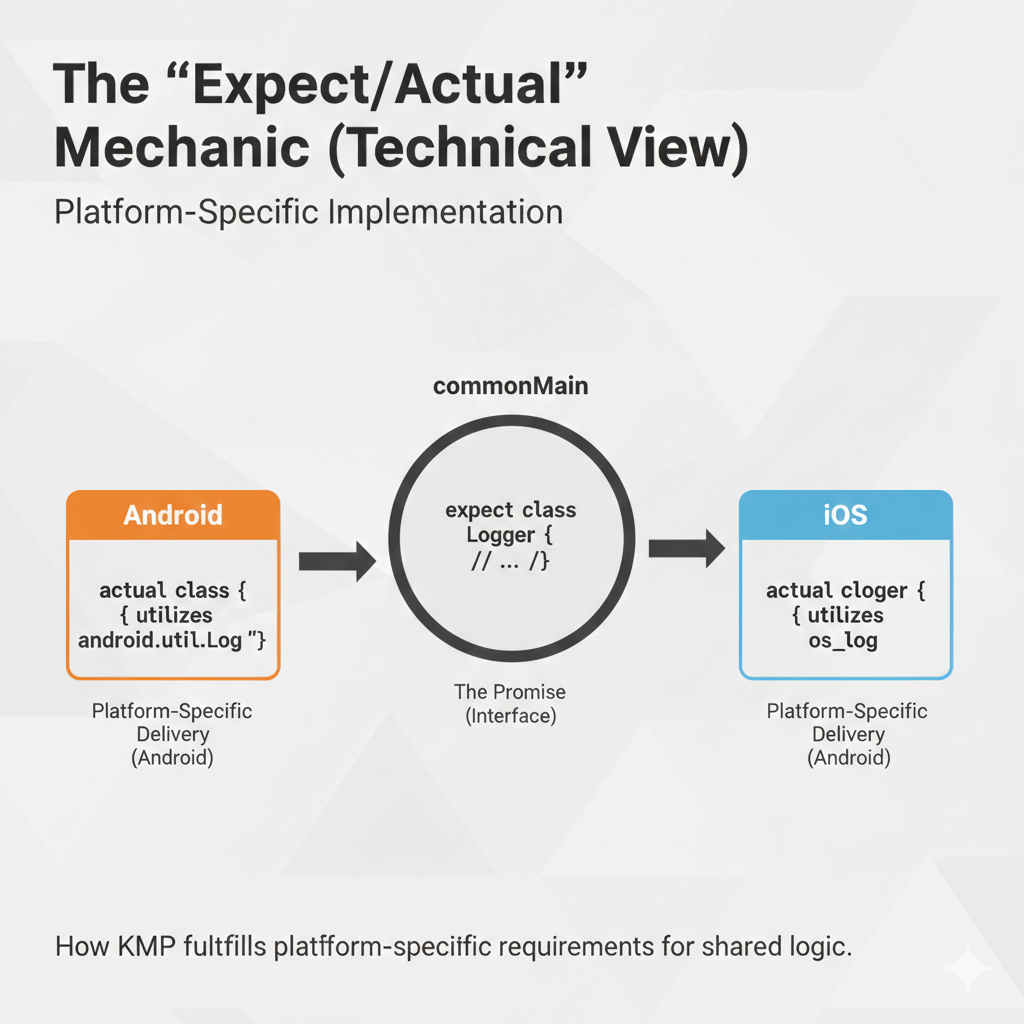
Legacy Java code often has android.os or java.io imports scattered everywhere. KMP handles this using the expect/actual mechanism.
-
The Logic: You define an expect class/function in the Common module (the interface) and provide an actual implementation in the Android and iOS modules
-
Example: If you have a legacy Java utility that uses Android.util.Log, you define a common Logger interface. The Android “actual” uses the old Java code, while the iOS “actual” uses os_log
Phase 4 : Moving the “Brain (ViewModel & Shared Logic)
This is the most complex phase. In a modern KMP architecture, the ViewModel (or a “Component” in Decompose) should ideally live in the Common module.
-
Extract Pure Logic: Move your validation logic, math, and data mapping from Java MVC controllers into Kotlin “Use Cases” in commonMain
-
The ViewModel Migration: Use the androidx.lifecycle:lifecycle-viewmodel library (now KMP compatible)
-
Dependency Injection: Move from standard Hilt (Android-only) to Koin or Kotlin-Inject. Koin is highly recommended for KMP migrations because it doesn’t rely on code generation in the same way Hilt does, making it easier to bridge Java and Kotlin
Phase 5 : Migration Roadmap Table
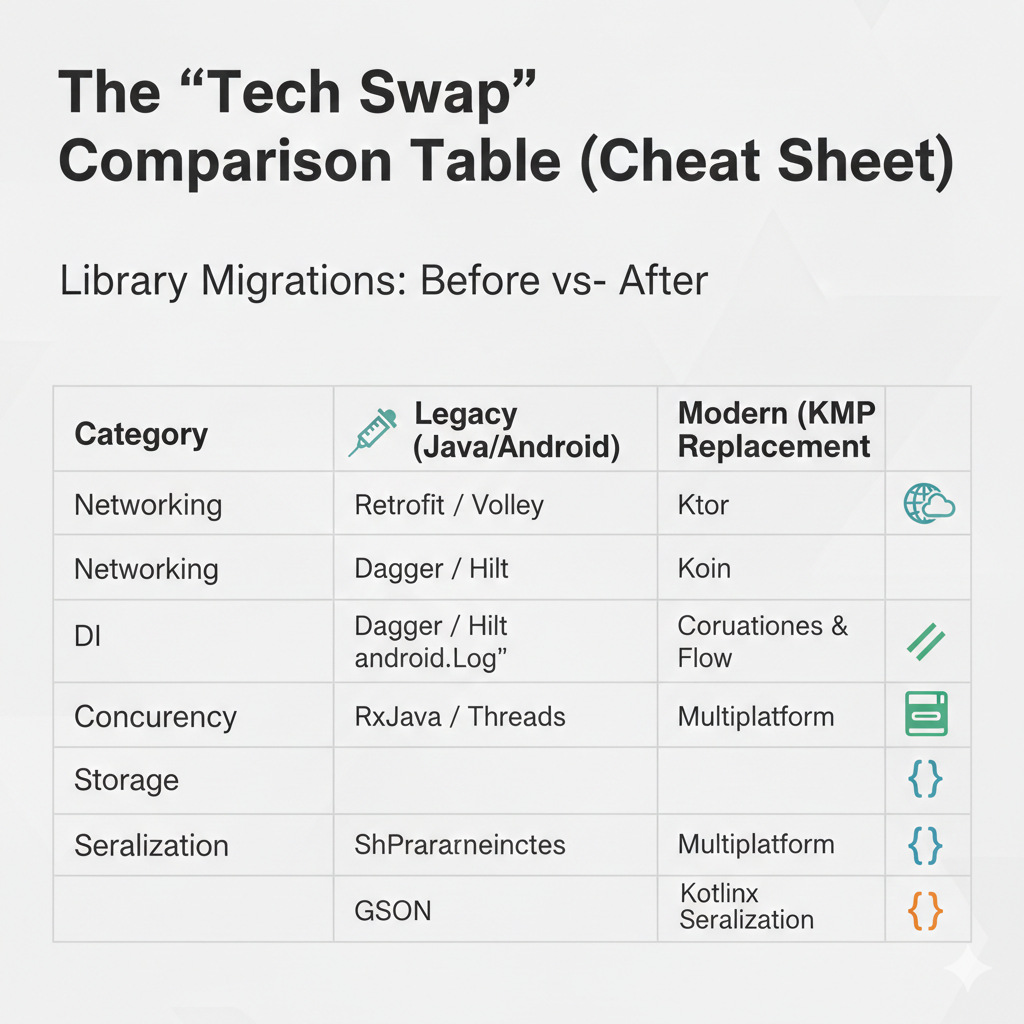
| Component | Legacy (Java/Android) | Modern (KMP Replacement) |
|---|---|---|
| Language | Java | Kotlin |
| DI | Dagger / Hilt | Koin or Kotlin-Inject |
| Networking | Retrofit / Volley | Ktor |
| Concurrency | Threads / RxJava | Kotlin Coroutines & Flow |
| Storage | SharedPreferences | Multiplatform Settings |
| UI | XML / Fragments | Compose Multiplatform (Optional) |
6. The “Golden Rule” for Zero Downtime
Don’t delete the Java code yet.
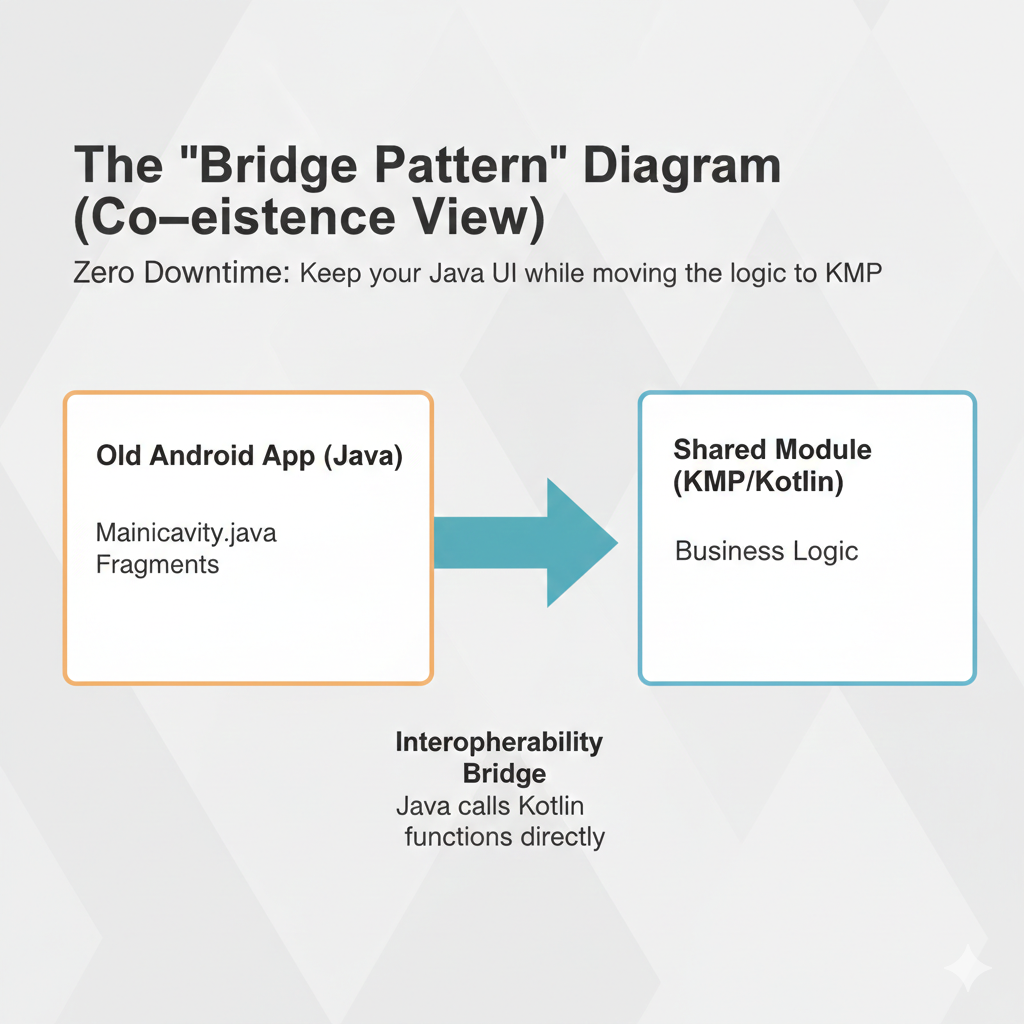
Keep your MainActivity.java and your legacy navigation. Use the Bridge Pattern:
- Write the new feature in KMP (commonMain).
- Expose it to the Anndroid app.
- In your java code, call the Kotlin shared code. Since kotlin is 100% interoperable with java, you can call the Kotlin code from Java code. you can shared KMP functions directly from your legacy classes while gradually replacing the UI.
Last words
Migrating a legacy Java Android app to Kotlin Multiplatform is a significant undertaking, but by following a structured, bottom-up approach, you can minimize risk and maximize the benefits of code sharing. The key is to move one layer at a time, starting with the infrastructure and data layers, and gradually working your way up to the UI. By following the strategies outlined in this guide, you can successfully migrate your legacy Java Android app to Kotlin Multiplatform and reap the benefits of code sharing across multiple platforms.
But my migration journey was different.This I learn from my mistakes.
back to main page here